Reporting in the Restaurant Portal
The restaurant portal provides the critical financial and sales data needed for accounting, reconciliation, and high-level operational reviews. This guide will walk you through how to access the portal, customize your data views, and export filtered reports to track every dollar of your catering revenue.
Log into the Restaurant Portal
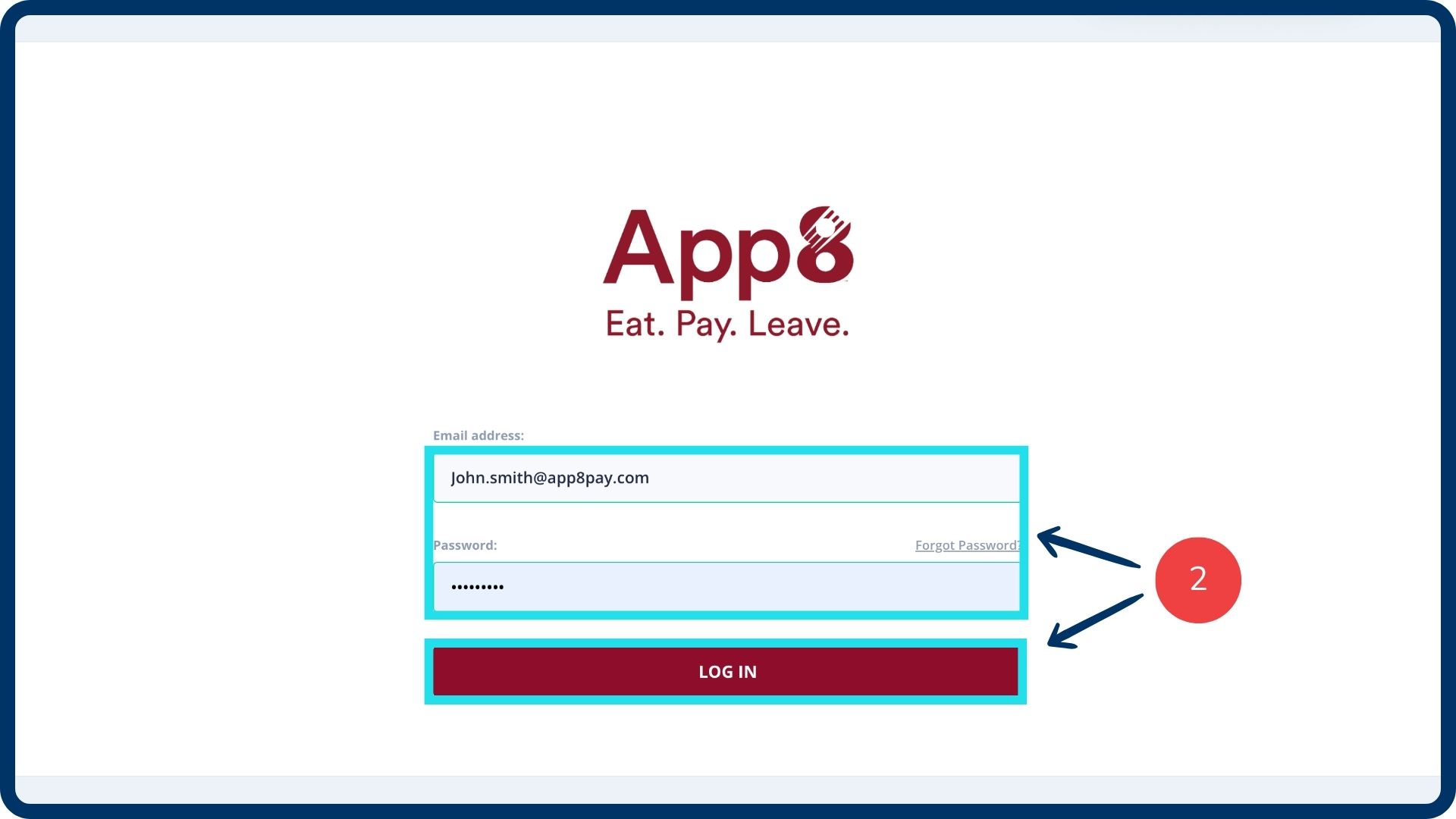
Go to the Restaurant Portal.
Enter your credentials and login.
The restaurant portal can also be accessed from the Menu Manager.
Navigate to the catering report
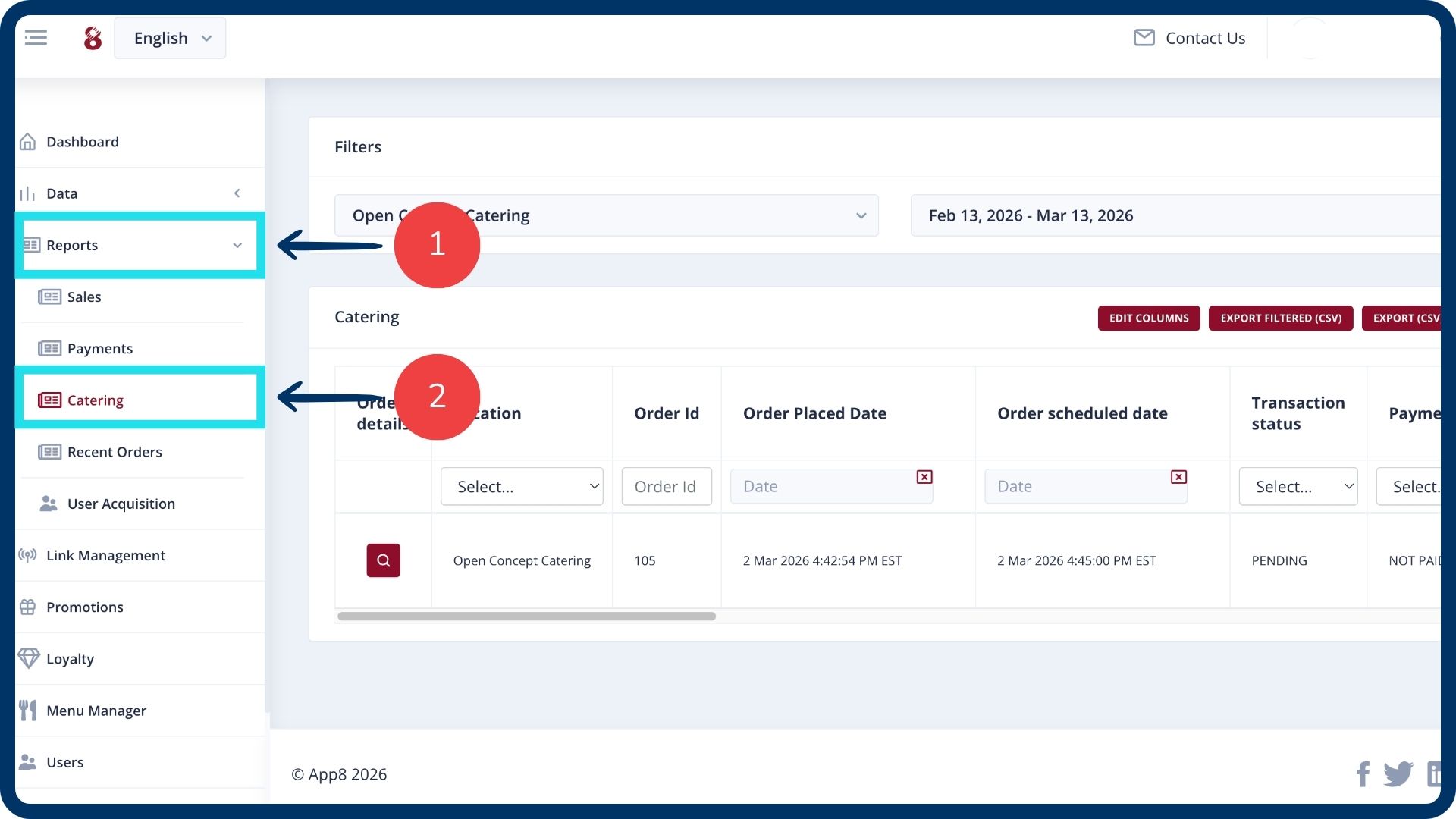
From the left sidebar, navigate to the “Reports” section.
Within the reports menu, select the “Catering” report tab.
Set your date range
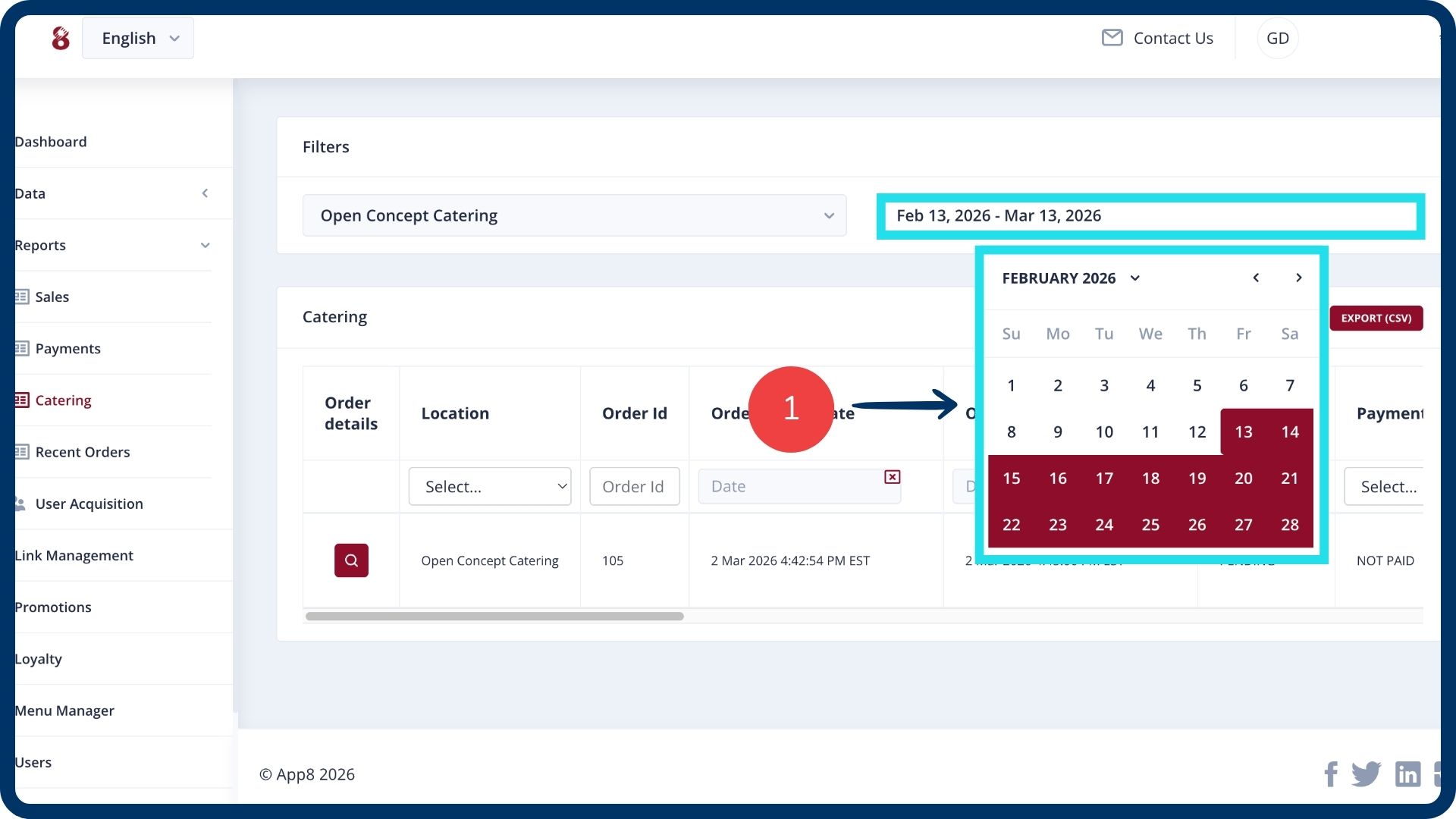
Select your desired date range at the top of the screen. The report will display all catering orders processed during this period.
View and reconcile financial data
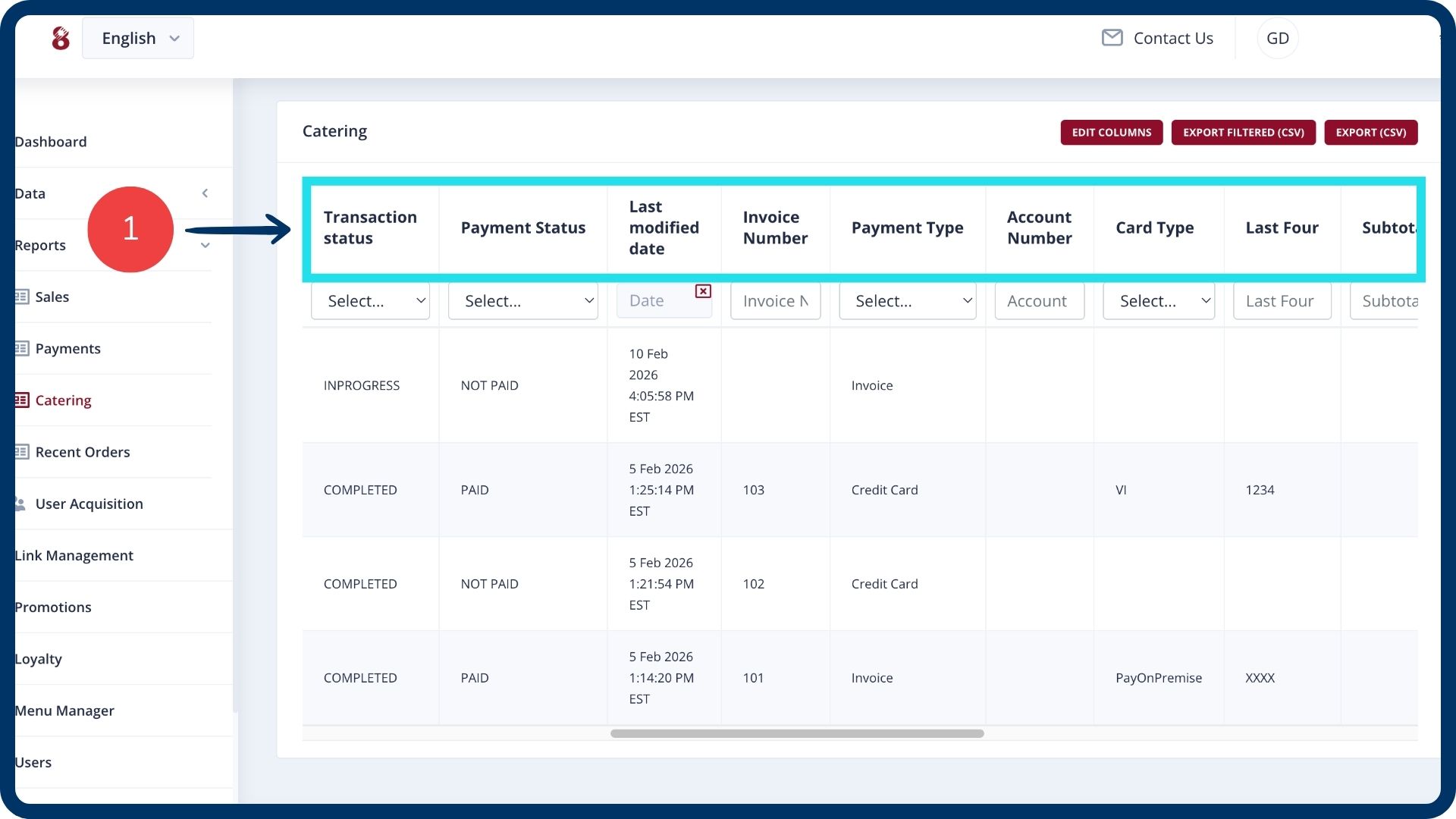
Use the catering report table for financial reconciliation. Each row represents a specific catering order and provides extensive details, including:
Order status: View if the order is completed, rejected, or pending.
Payment details: Review the payment type used (invoice or card) and the last four digits of the card.
Financial breakdown: View the subtotal, applied discounts, delivery fees, service fees, taxes, and tips.
Payment status: Track if the order is paid, unpaid, or refunded.
Customize your report view
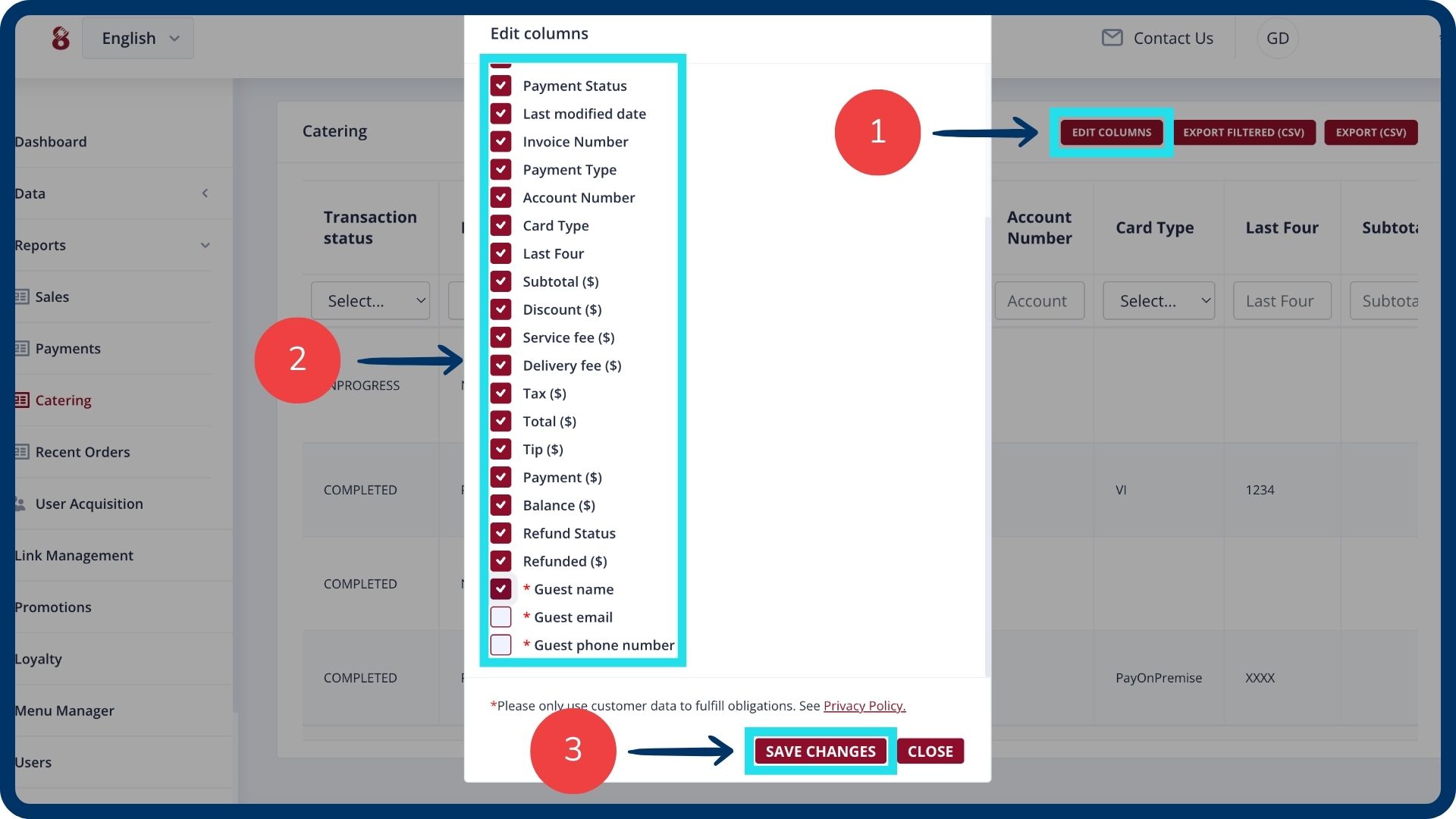
Click the “Edit columns” button.
Select the fields you wish to track (e.g., guest name or guest email).
Click “Save changes” to update your view.
Export filtered data
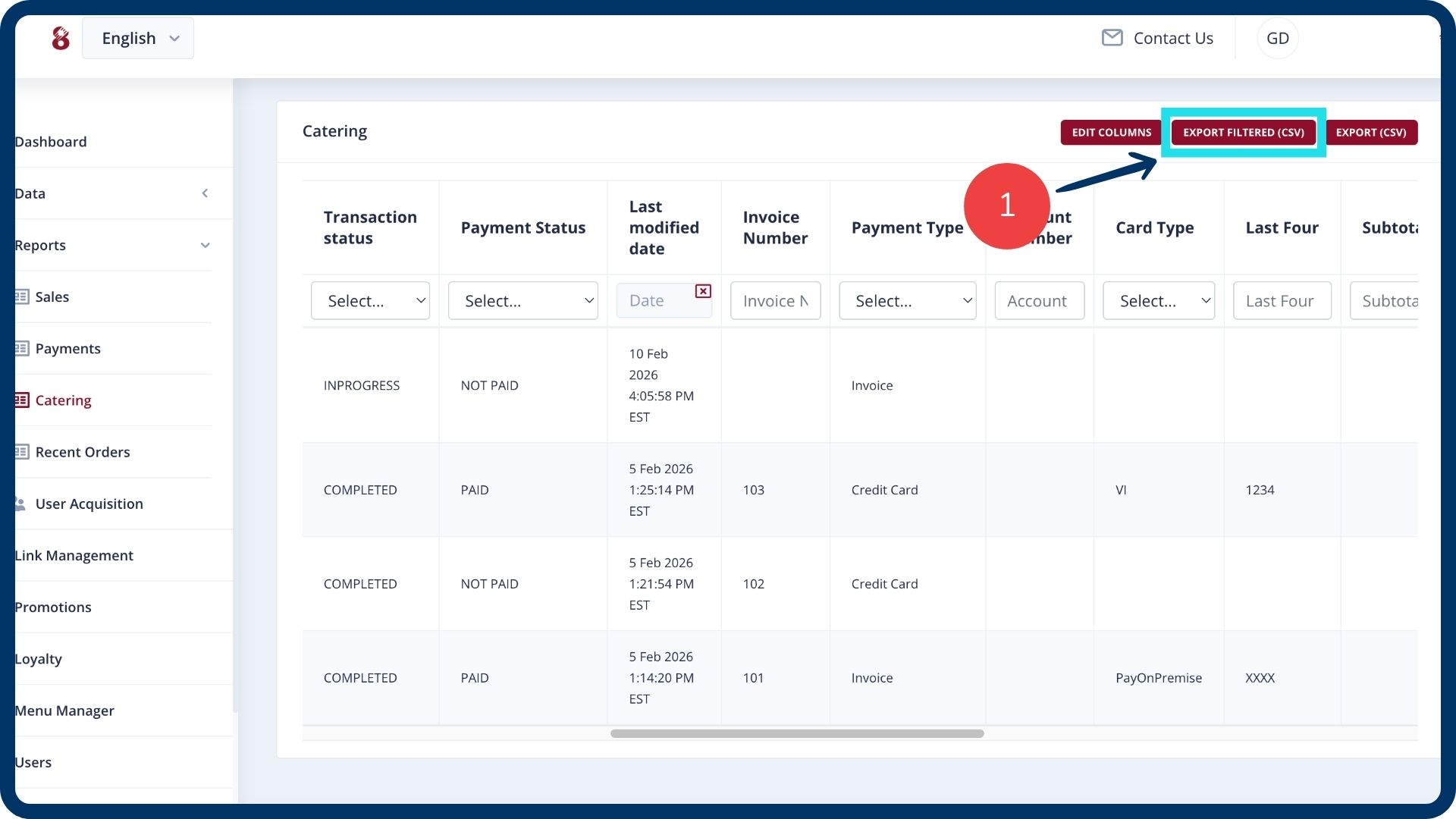
Click the “Export filtered (CSV)” button.
The system will download a report containing only the specific data points and date ranges you have selected.
Was this article helpful?
That’s Great!
Thank you for your feedback
Sorry! We couldn't be helpful
Thank you for your feedback
Feedback sent
We appreciate your effort and will try to fix the article