Managing upsell features
Easily manage which menu items are visible to customers and highlight special promotions to boost sales. This guide will show you how to feature promotions, and encourage upsells based on your business needs.
Log into the Menu Manager
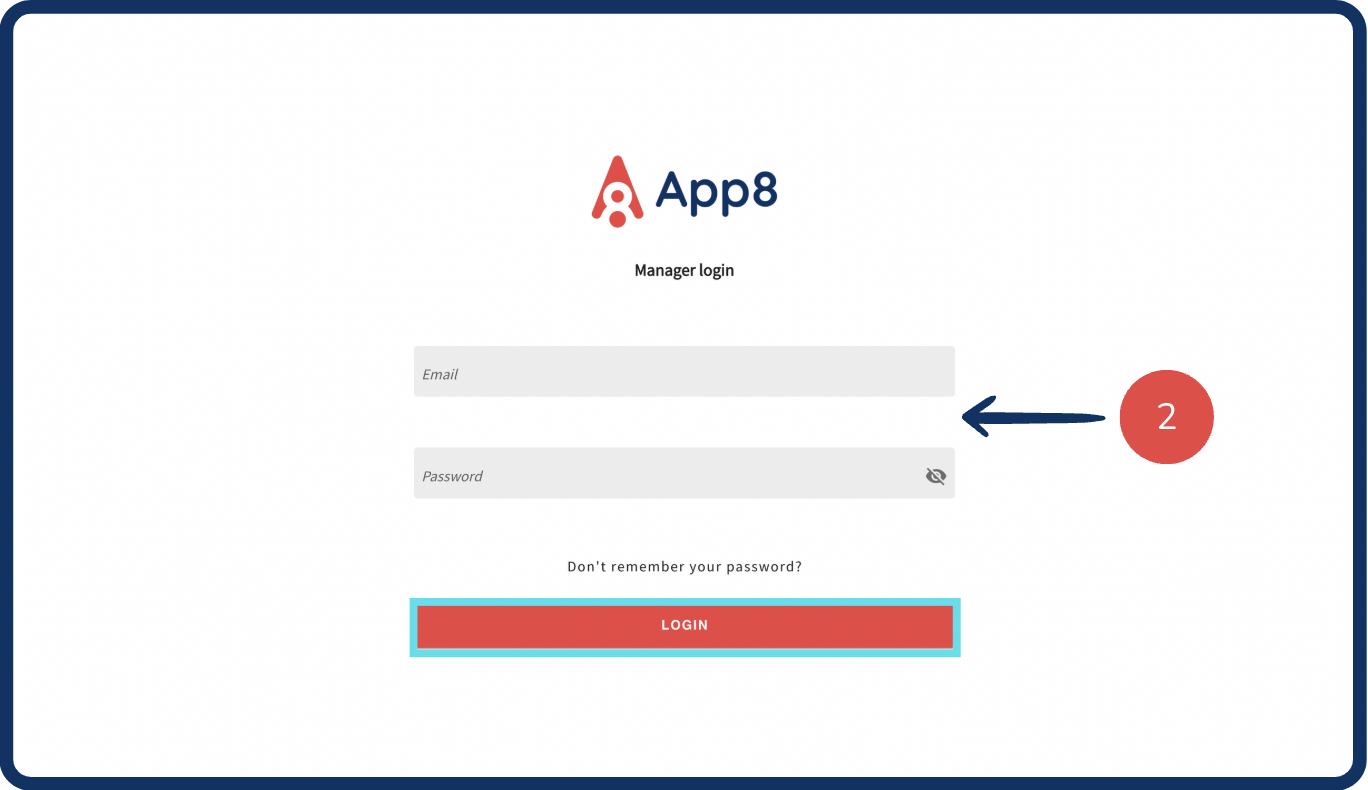
Go to the Menu Manager.
Enter your credentials and login.
Highlight featured items
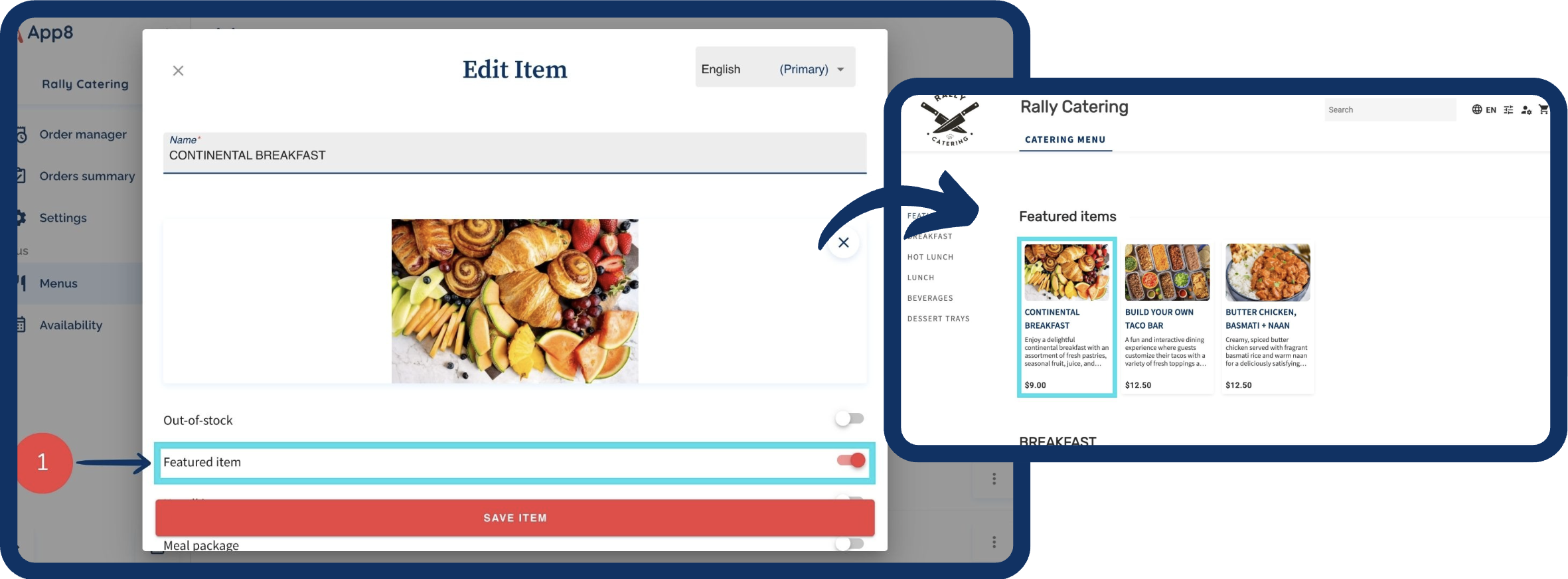
Enable the "Featured item" toggle to showcase up to 8 items at the top of your menu.
Featured items can help promote popular or high-margin products.
Suggest upsell items at checkout
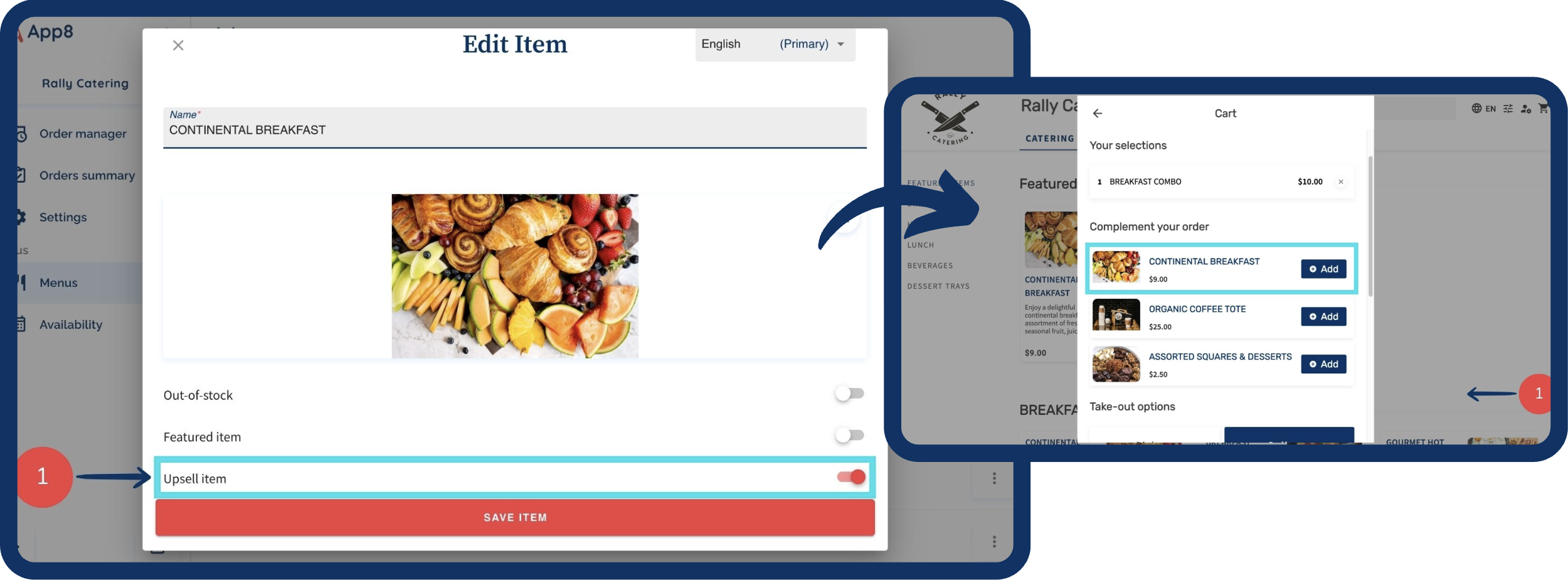
Enable the "Upsell item" toggle to recommend up to 3 additional items during checkout.
Upselling encourages customers to add complementary products to their order, increasing revenue.
Was this article helpful?
That’s Great!
Thank you for your feedback
Sorry! We couldn't be helpful
Thank you for your feedback
Feedback sent
We appreciate your effort and will try to fix the article