Managing order settings
Defining your ordering parameters ensures that your kitchen has enough lead time and that orders meet your business requirements. This guide will walk you through setting notice requirements, scheduling windows, and order limits.The system will automatically apply these rules to your menu, ensuring guests can only checkout when these conditions are met.
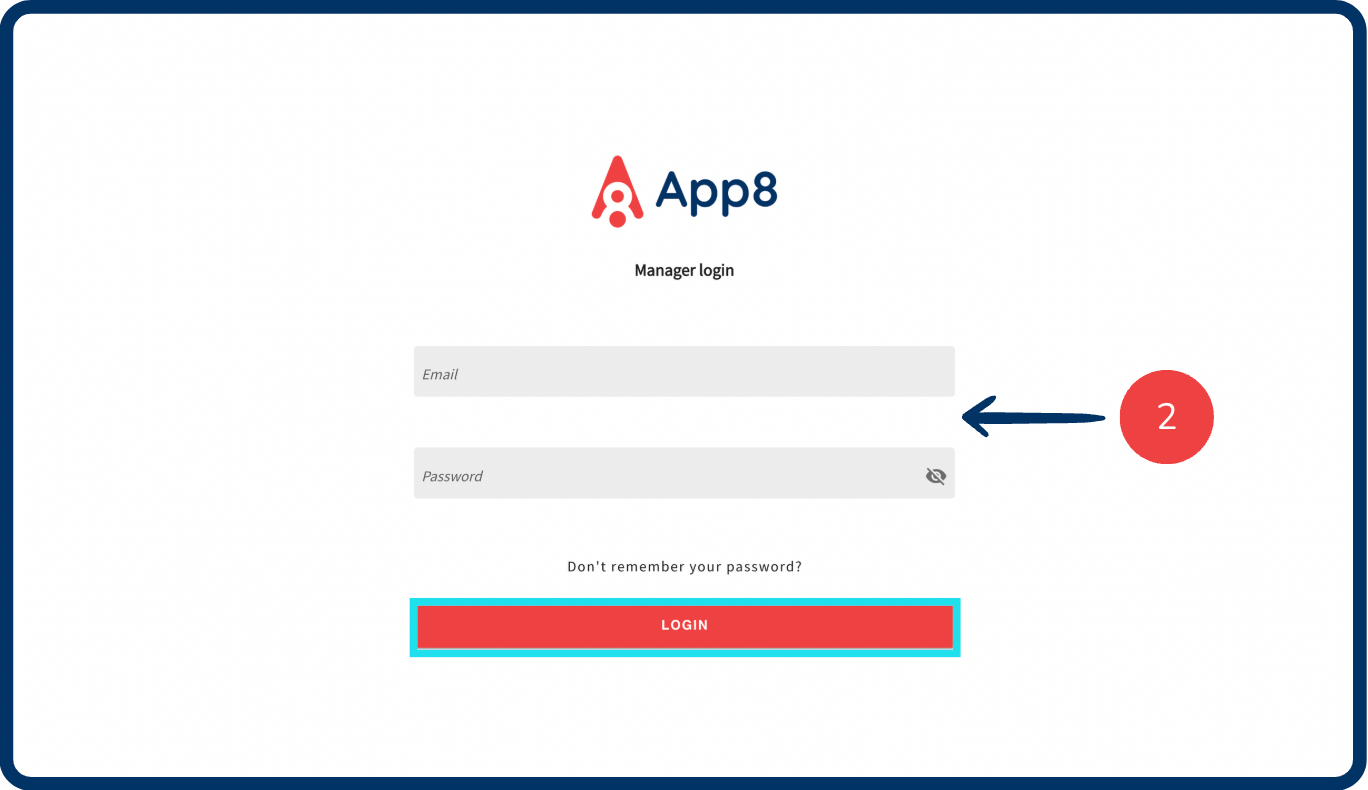
Log into the Menu Manager
Go to the Menu Manager.
Enter your credentials and login.
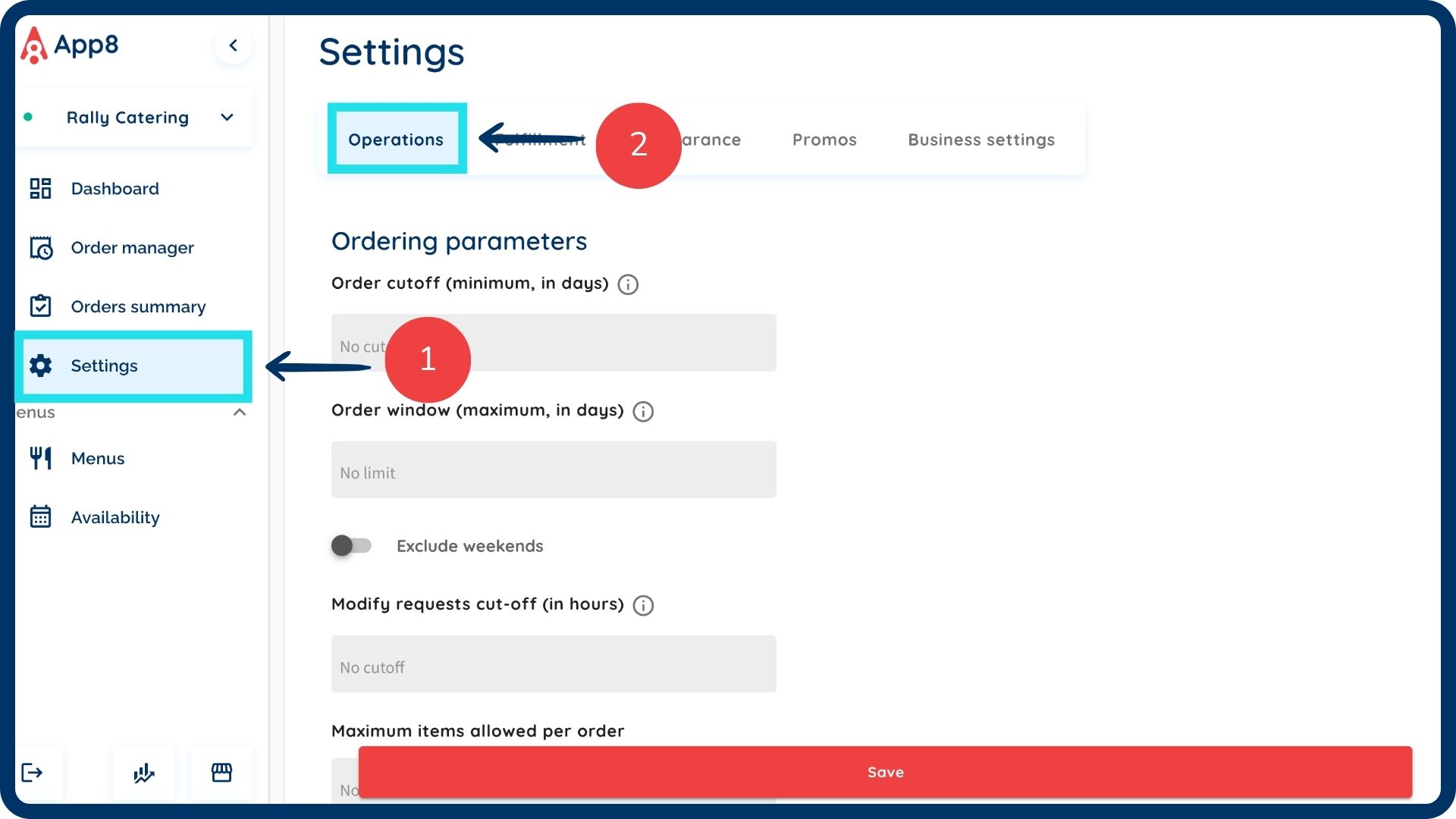
Navigate to settings
Select “Settings” from the left sidebar.
Select the "Operations" tab.
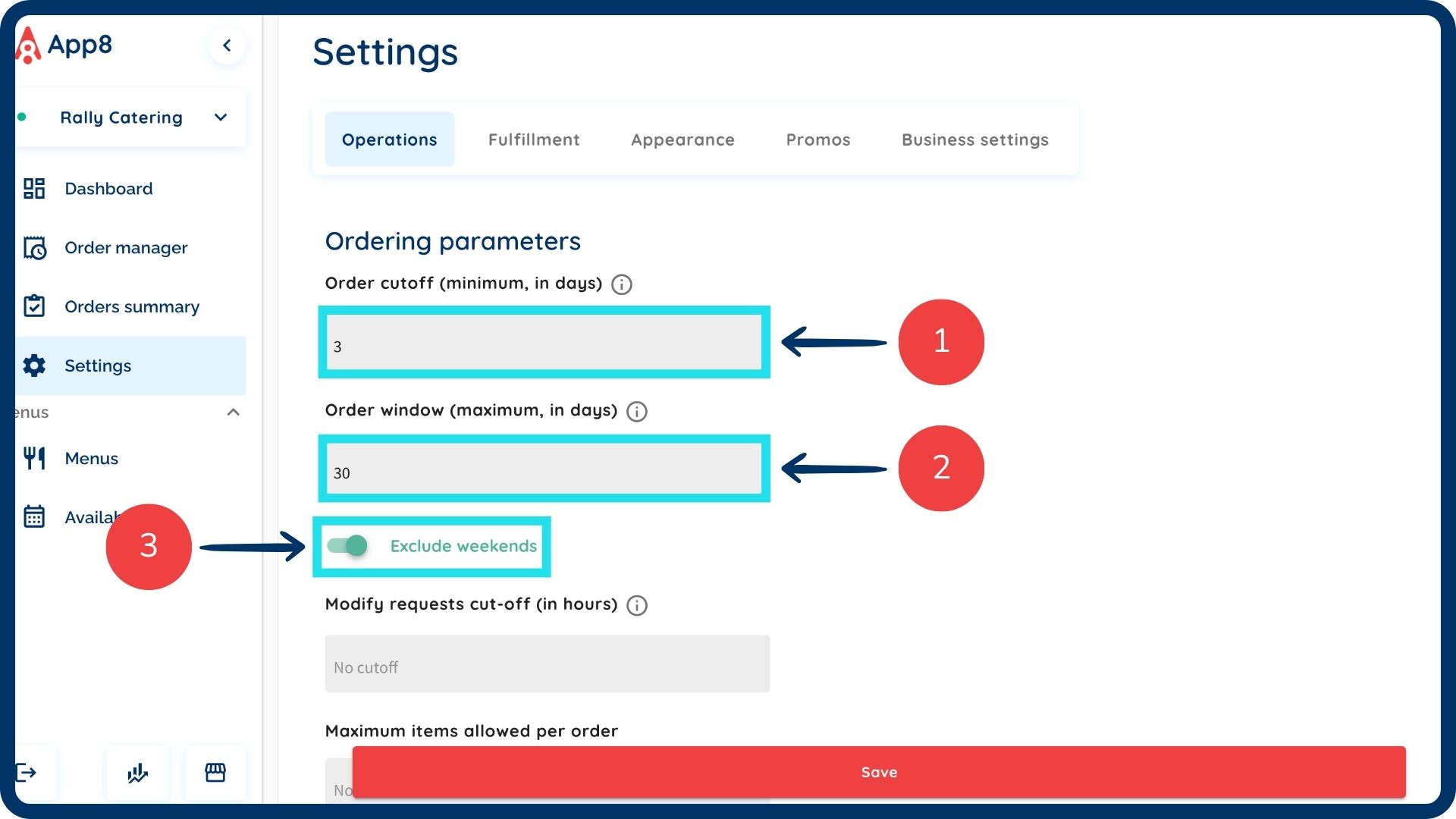
Set order timing and scheduling
- Order cutoff: Input the advanced notice required for orders to be placed.
- Order window: Input the maximum number of days in advance that orders can be scheduled.
- Exclude weekends: Enable the "Exclude weekends" toggle if you want these parameters to apply only to weekdays.
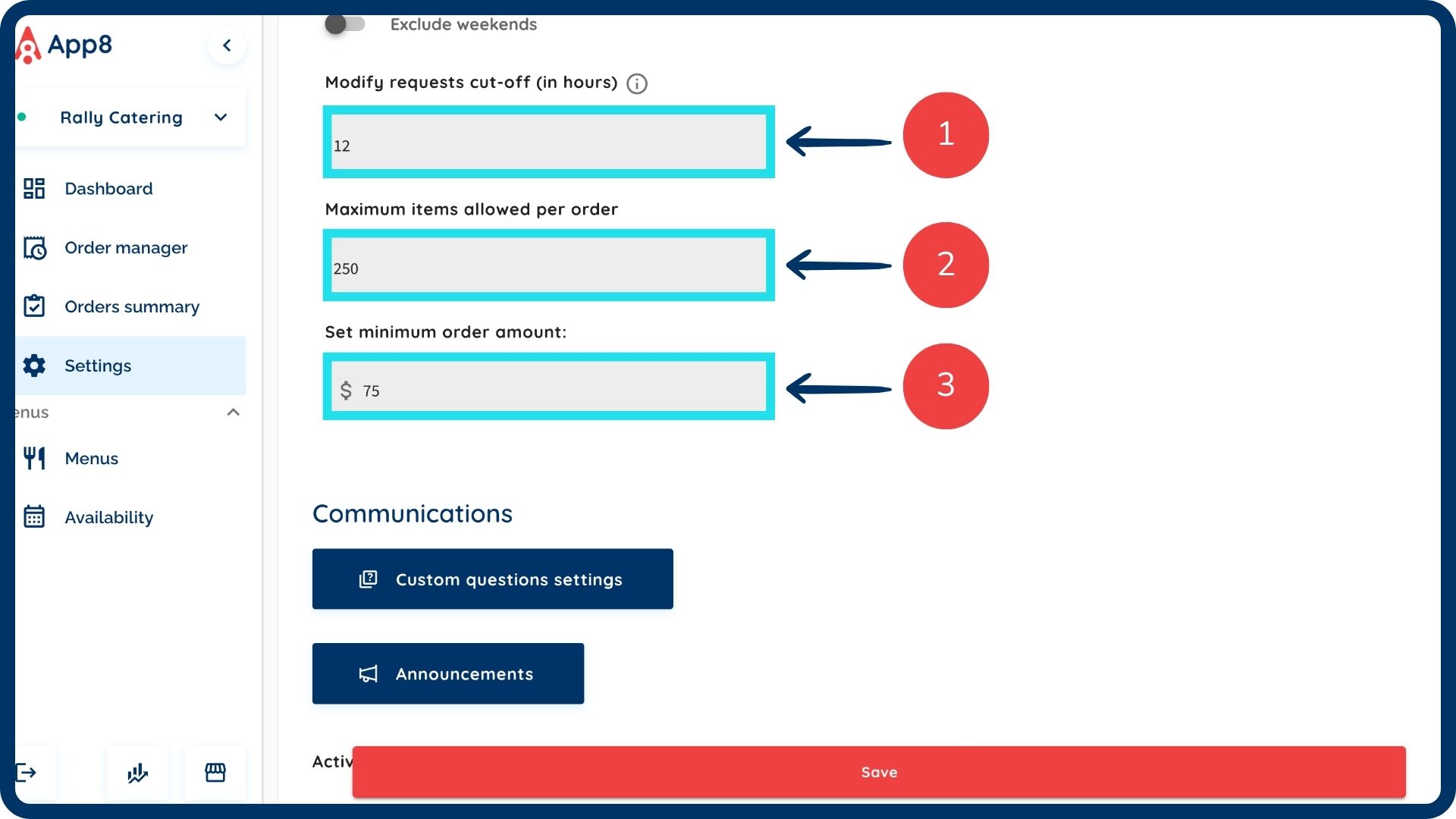
Configure order and modification limits
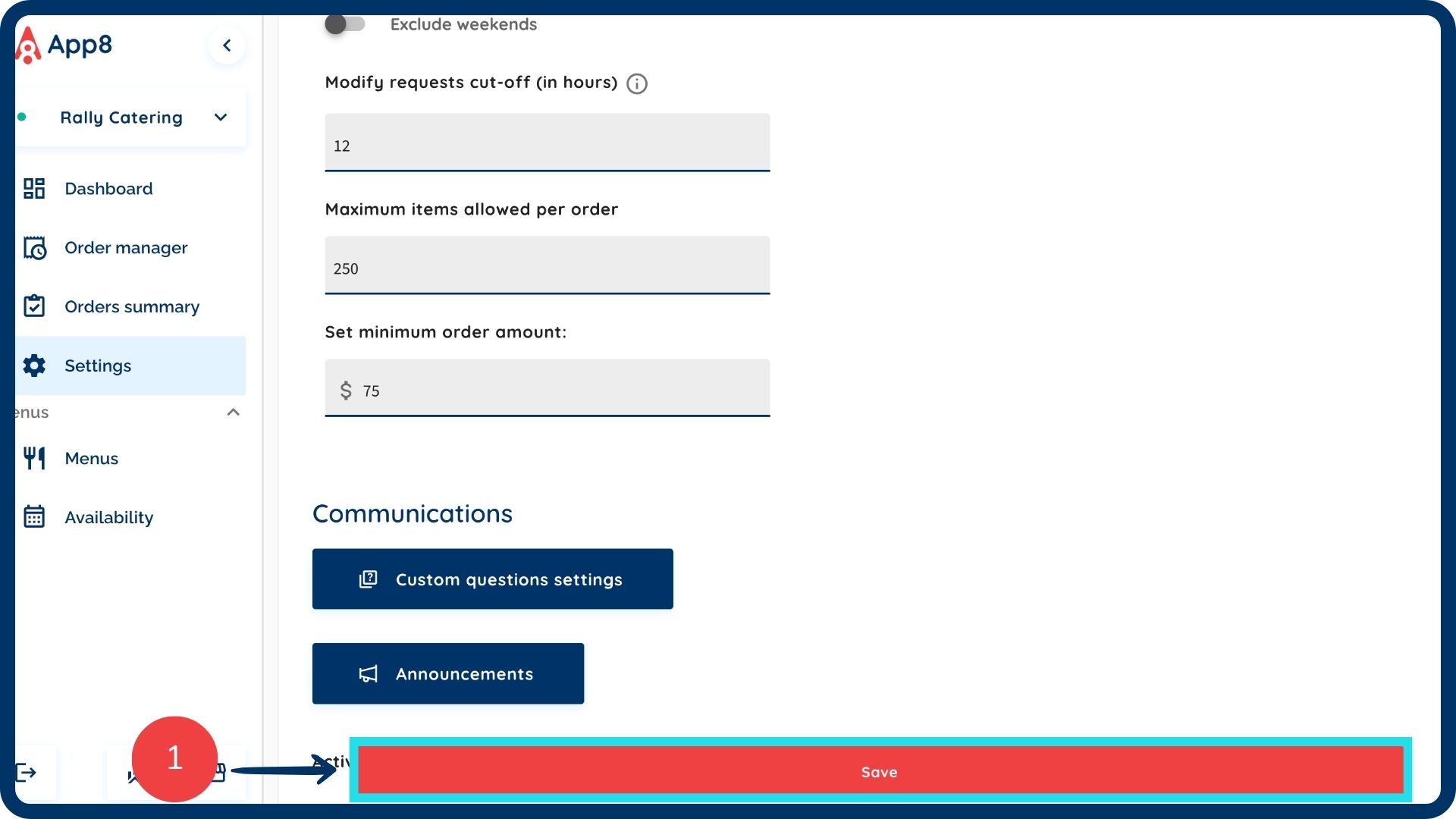
- Modify request cut-off: Input the cut-off time (in hours) to specify how many hours before fulfillment a modification can be requested.
- Maximum items: Input the maximum number of items allowed per individual order.
- Minimum order amount: Input the minimum dollar amount required for an order to be successfully placed.
Save changes
Click the "Save" button to save your changes.
Was this article helpful?
That’s Great!
Thank you for your feedback
Sorry! We couldn't be helpful
Thank you for your feedback
Feedback sent
We appreciate your effort and will try to fix the article